Artificial intelligence tools are becoming part of everyday work. From generating content to analyzing data, platforms like ChatGPT and Google Gemini help millions of users improve productivity.
However, many users are unaware that the prompts, documents, and queries they share with AI tools may be used to improve future models. While this helps AI systems become smarter, it can also raise concerns about data privacy and confidentiality.
If you work with client information, internal reports, or sensitive business data, understanding AI data controls is essential.
Why AI Data Control Matters
AI platforms often collect usage data to enhance model performance. Without proper settings, the information you input could contribute to model training.
This becomes particularly important in professional environments where sensitive information is frequently handled.
Taking a few minutes to review your AI privacy settings can significantly improve data security.
How to Control Your Data in ChatGPT
Users of ChatGPT can easily manage how their data is used.
Steps to adjust your data controls:
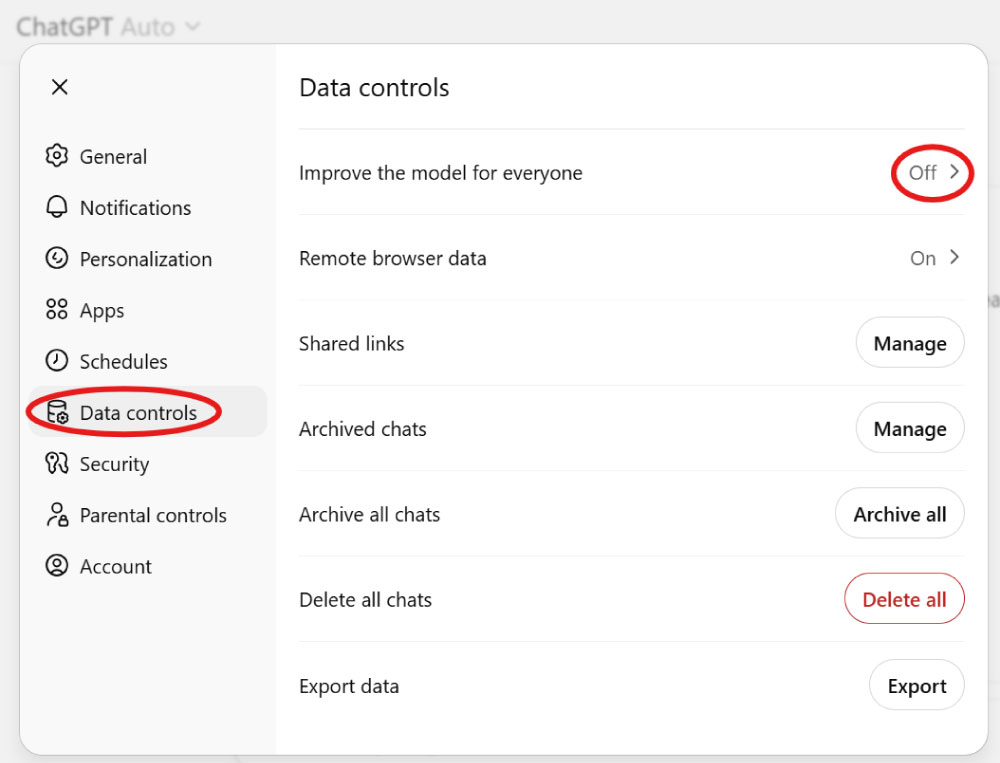
Open Settings in your ChatGPT account
Navigate to Data Controls
Turn off “Improve the model for everyone”
Save your changes
Disabling this setting ensures that your conversations are not used to train the model, helping protect confidential information.
How to Manage Data Settings in Gemini
Similarly, Google Gemini provides privacy controls through Google account settings.
Steps to review Gemini data settings:
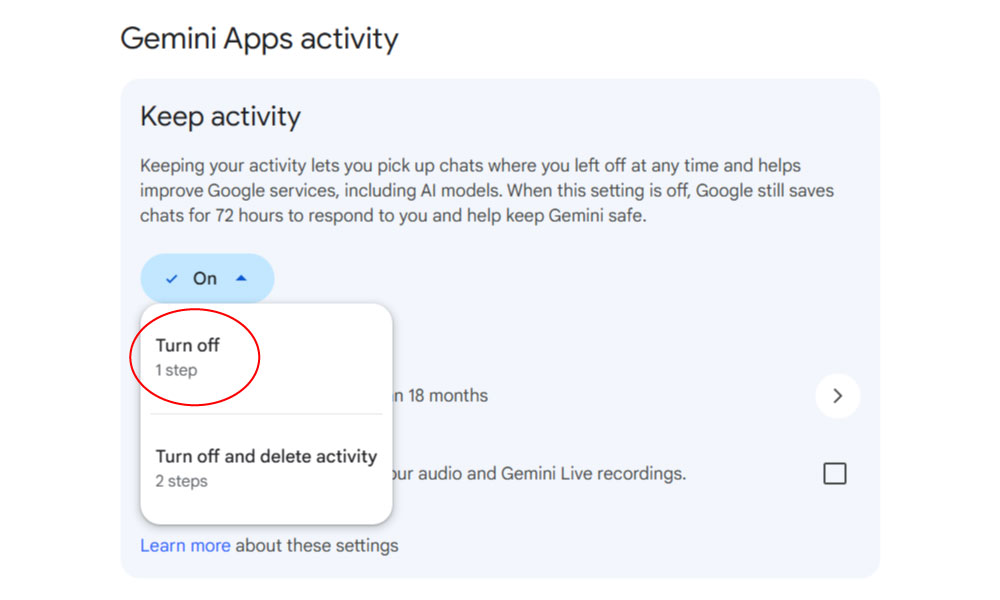
Go to Gemini settings or Google activity controls
Check AI activity or data usage settings
Disable options that allow prompts to be used for model improvements
Google also allows users to review or delete stored AI activity, giving additional control over personal data.
Conclusion
AI tools like ChatGPT and Google Gemini are transforming how we work, learn, and create. But with greater power comes greater responsibility when it comes to protecting your data.
By reviewing and adjusting your AI data control settings, you can maintain privacy while still benefiting from the capabilities of modern AI technology.
Take a moment today to check your settings your data should always stay under your control.